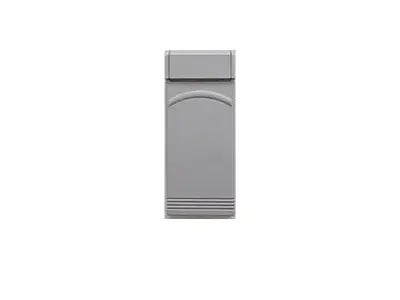
ALLSTAR/ALLISTER/PULSAR
1. Reset default setting by pressing “ON/RESET”, then “9”, “9”,
“9”, “#”, “9”, “9”, “9”, “#”.
2. Press “ON/RESET”, “1”, “2”, “3”, “4”, “*”, “1”.
3. Press “ON/RESET”, “1”, “2”, “3”, “4”, “#”, “1”, enter your
four-digit pin number, enter the pin number again, then press
“#”.
4. Determine your nine-digit door code by entering the switch
positions from your transmitter (+ = 1, 0 = 2, – = 3).
5. Press “ON/RESET”, enter your four-digit pin number, “#”,
“#”, “1”, the nine-digit door code, and “#”.
6. To operate your door, press “ON/RESET”, enter your fourdigit pin number, “*” and “1”.
1. Press “ON/RESET”, enter your four-digit pin number, “*”,
“2” for door number 2.
2. Press “ON/RESET”, enter your four-digit pin number, “*”,
“3” for door number 3.
3. Press “ON/RESET”, enter your four-digit pin number, “*”,
“4” for door number 4.
4. Find your door code by entering the switch positions from
your transmitter (+ = 1, 0 = 2, – = 3).
5. PPress “ON/RESET”, enter your four-digit pin number, “#”,
“#”, “2”, the nine-digit door code, and “#”.
6. To operate your door, press “ON/RESET”, enter your fourdigit pin number, “*” and “2”.
1. Enter your master four-digit pin number, “#”, “2”, enter your
2nd four-digit pin number, enter it again, then “#”.
2. Enter your master four-digit pin number, “#”, “3”, enter your
3rd four-digit pin number, enter it again, then “#”.
3. Enter your master four-digit pin number, “#”, “4”, enter your
4th four-digit pin number, enter it again, then “#”.
Get Started Today
Request A Quote
allstar wireless
This guide provides comprehensive instructions for setting up and programming your Allstar/Allister/Pulsar Wireless Keypad. Whether you're installing it for the first time or need to reset its default settings, we cover the essential steps to ensure your garage door operates smoothly and securely.
The Allstar/Allister/Pulsar Wireless Keypad is designed for ease of use, offering a convenient way to access your garage without a traditional remote. Following these steps will help you personalize your access codes and manage multiple doors effectively.
To ensure a fresh start or to resolve any programming issues, resetting your Allstar/Allister/Pulsar Wireless Keypad to its default settings is a crucial first step. This process will clear any existing codes and allow you to reconfigure the keypad from scratch.
To initiate the reset, press and hold the "ON/RESET" button, then sequentially enter "9", "9", "9", "#", "9", "9", "9", "#". After this sequence, press "ON/RESET" again, followed by "1", "2", "3", "4", and then "*", "1". This sequence effectively wipes the current programming, returning the keypad to its factory state, ready for new programming.
Once the keypad is reset, the next step is to establish your primary four-digit PIN and associate it with your garage door opener. This PIN will be your main access code for operating the door.
After pressing "ON/RESET", enter "1", "2", "3", "4", followed by "#", and then "1". You will then be prompted to enter your chosen four-digit PIN number. Confirm your PIN by entering it a second time, and conclude by pressing "#". This action saves your primary PIN and links it to the first door code sequence, typically a nine-digit code specific to your opener.
The Allstar/Allister/Pulsar Wireless Keypad offers the flexibility to control multiple garage doors from a single unit. This is particularly useful for households with more than one garage door or for managing access to different properties.
To program a second door, press "ON/RESET", enter your established four-digit PIN, followed by "#", then "2". Next, enter the nine-digit door code for the second garage door, and finish by pressing "#". For programming a third door, the sequence is similar: "ON/RESET", your PIN, "#", "3", the nine-digit code for the third door, and "#". Repeat this process for any additional doors, incrementing the number after the "#" (e.g., "#", "4" for the fourth door).
For added security or to provide access to family members or trusted individuals, you can program additional four-digit PIN codes into your Allstar/Allister/Pulsar Wireless Keypad. Each secondary PIN can be linked to a specific door, offering granular control over access.
To set up a second PIN, press "ON/RESET", enter your master four-digit PIN, followed by "#", then "2". You will then enter your second four-digit PIN, followed by entering it again for confirmation, and finally pressing "#". To program a third PIN, the sequence is "ON/RESET", master PIN, "#", "3", the new PIN, re-enter the new PIN, and "#". This feature allows you to manage who has access and to which doors, enhancing the overall security of your garage system.