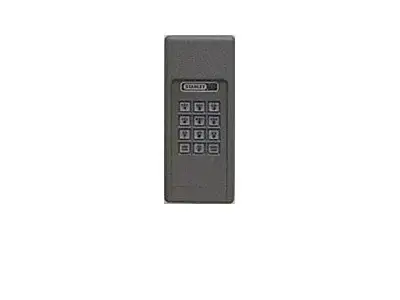
Stanley Multicode Whistler
To Select Radio Code: Determine the Radio Code set on the opener
received. Panel may be either 9 or 10 dip switches, or 5-code wires,
located at the rear of the opener.
1. Note the numbers of each dip switch in the ON (closed)
position. Use the ones already selected or select new settings.
This will be the new “Radio Code”.See Figure C.
2. Press the “RADIO LEARN” button twice – LED indicator
light will blink slowly.
3. Enter the Default Access Code “1”, “2”, “3”, “4”, enter the
new radio code, then press the “RADIO LEARN” button – the
light will turn off.
4. If code is entered incorrectly, the light will blink quickly.
1. Follow the same instructions for openers with 10 dip
switches. Because there are only 9 switches, the Codekey will
read the 10th digital code as OFF, so no programming of this
switch is necessary.
1. Note the numbers of each unclipped code wire. This is the
“Radio Code”.See Figure D.
2. Press the “RADIO LEARN” button twice – LED indicator
light will blink slowly.
3. Enter the Default Access Code “1”, “2”, “3”, “4”, enter the
radio code, then press the “RADIO LEARN” button – the
light will turn off.
4. If code is entered incorrectly, the light will blink quickly..
1. Select a new four-digit access code.
2. Press the “ACCESS LEARN” button twice – LED indicator
light will blink slowly.
3. Enter the Default Access Code “1”, “2”, “3”, “4”, enter the
new four-digit access code, then press the “ACCESS
LEARN” button – the light will turn off.
4. If code is entered incorrectly, the light will blink quickly.
IMPORTANT: Once you program your Access Code, this new code
becomes your default access code for future programming.
To reset the Codekey Entry System to the factory programmed codes,
remove the battery from the unit for approximately three minutes.
Get Started Today
Request A Quote
The Stanley Multicode Whistler is a versatile wireless codekey entry system designed for convenient garage door access. This system allows you to program unique radio and access codes, enhancing the security and usability of your garage door opener.
It's crucial to understand the different components and programming methods associated with your Whistler unit, especially when setting up new codes or troubleshooting existing ones. The system typically involves a sequence of button presses and code entries to ensure secure operation.
This section provides a detailed walkthrough for programming your Stanley Multicode Whistler. Whether you're setting a new radio code for your opener or establishing a new access code for the unit itself, following these steps ensures successful configuration.
The process involves specific button presses and code inputs. For radio codes, you'll interact with the "RADIO LEARN" button, while for access codes, the "ACCESS LEARN" button is utilized. Pay close attention to the LED indicator lights, as they provide feedback on the programming status.
To select a new radio code for your Stanley Multicode Whistler, you first need to determine the existing radio code set on your garage door opener. Once identified, you will initiate the learning process on the Whistler unit.
Press the “RADIO LEARN” button twice on the Whistler unit; the LED indicator light will blink slowly. Enter the default access code “1”, “2”, “3”, “4”, followed by your desired new radio code, and then press the “RADIO LEARN” button again. The light will turn off, confirming the code has been set. If an incorrect code is entered, the light will blink quickly, prompting you to re-enter the sequence.
Setting a new access code for your Stanley Multicode Whistler is a straightforward process that enhances the security of your entry system. This code is used to access the programming functions of the Whistler unit itself.
To set the access code, enter the default access code “1”, “2”, “3”, “4”. Subsequently, input your new four-digit access code, and then press the “ACCESS LEARN” button. The LED indicator light will turn off, signifying that your new access code has been successfully programmed and is now active.
Encountering issues with your Stanley Multicode Whistler can be frustrating, but many common problems have straightforward solutions. Understanding potential error indicators and programming sequences can help you resolve most issues quickly.
Common problems include incorrect code entry leading to rapid blinking lights, or the system not responding to programming commands. Ensuring you are using the correct default access code and following the sequence precisely for both radio and access code programming is key to resolving these issues.
If you are experiencing persistent difficulties with your Stanley Multicode Whistler, or if you require professional installation or repair of your garage door system, the Overhead Door Company of The Antelope Valley™ is here to help.
Our team of experts provides comprehensive garage door services throughout the Coachella Valley and surrounding areas, including Lancaster and Los Angeles County. We are equipped to handle all your garage door needs, ensuring your Stanley Multicode Whistler and your entire garage door system operate efficiently and securely. Reach out to us for a quote or to schedule a service appointment.